Say it. Make a card.
Describe what you need. Create and revise interactive cards with AI, then use their controls while presenting.
 callayersGet Callayers
 YOUR CAMERA. YOUR IDEAS.
Turn an idea into an interactive card. Add an image, sketch a thought, and show it all alongside your webcam.
Get CallayersWindows 10 & 11 · Linux beta · Intel/AMD 64-bit
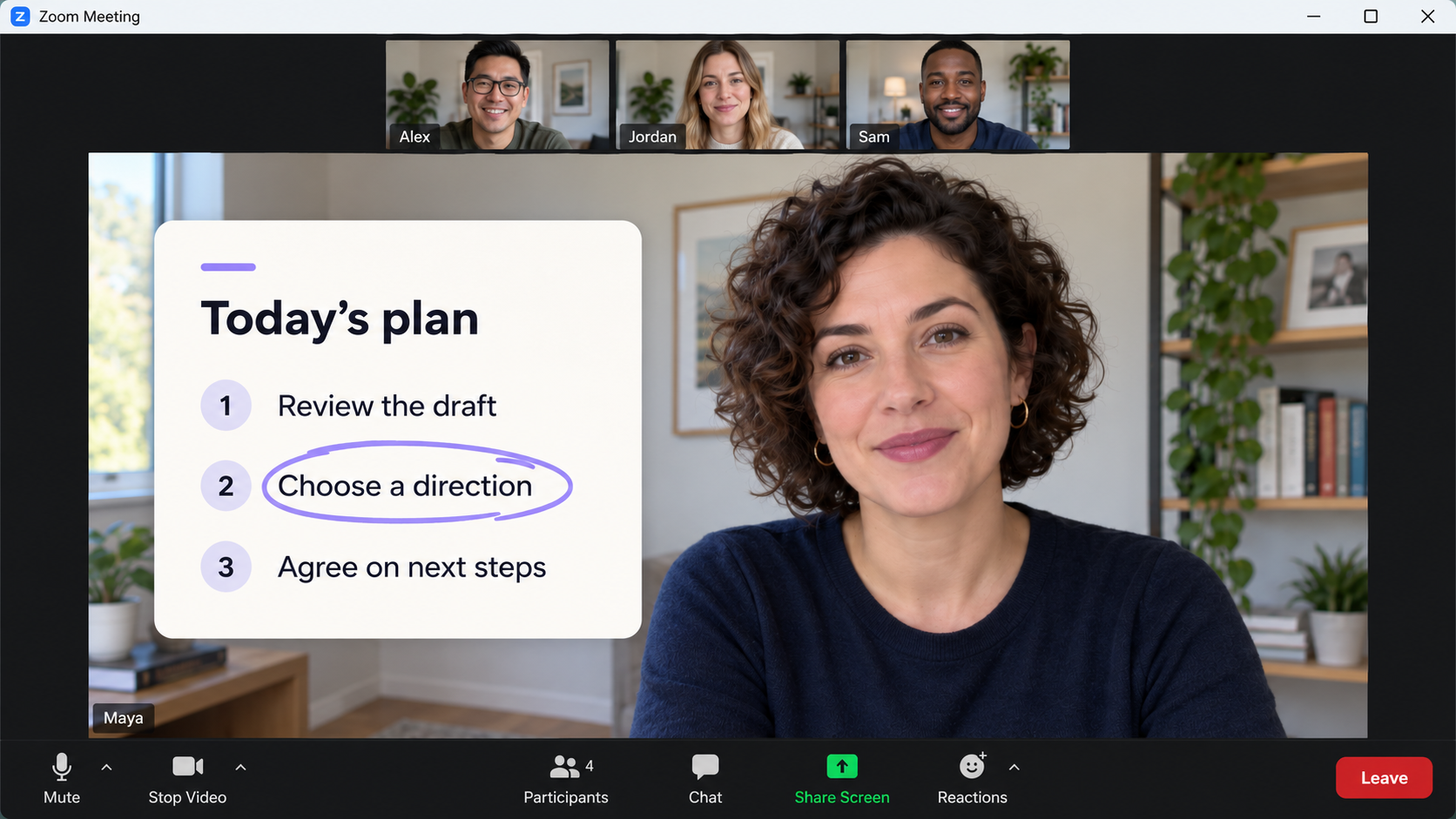
Describe what you need. Create and revise interactive cards with AI, then use their controls while presenting.
Bring in an image. Add text, draw an arrow or sketch directly over your camera view.
Select the Callayers camera in your calling app. Your webcam, cards and annotations travel together.
GET CALLAYERS
Choose your setup. Then sign in with Google, select your webcam, and create your first card.
Your webcam, cards, and annotations — together in your calling app.
Choose Windows or Linux to get started.
Windows: Checking release…
Download for WindowsFor Windows 10 & 11 on Intel/AMD 64-bit PCs.
The tester installer is unsigned; Windows may show an unknown-publisher warning. Updates install automatically when it’s safe, keeping your saved work.
Linux: Checking release…
Choose your distribution to see its install command.
RPM Fusion Free is a community software repository that provides the virtual-camera driver. Leave this off if you have already set it up yourself.
Paste it into Terminal and enter your password when asked.
Intel/AMD 64-bit computer with Secure Boot off. Installs Callayers and its virtual camera. Updates come through your package manager.